A ledger, not a spreadsheet
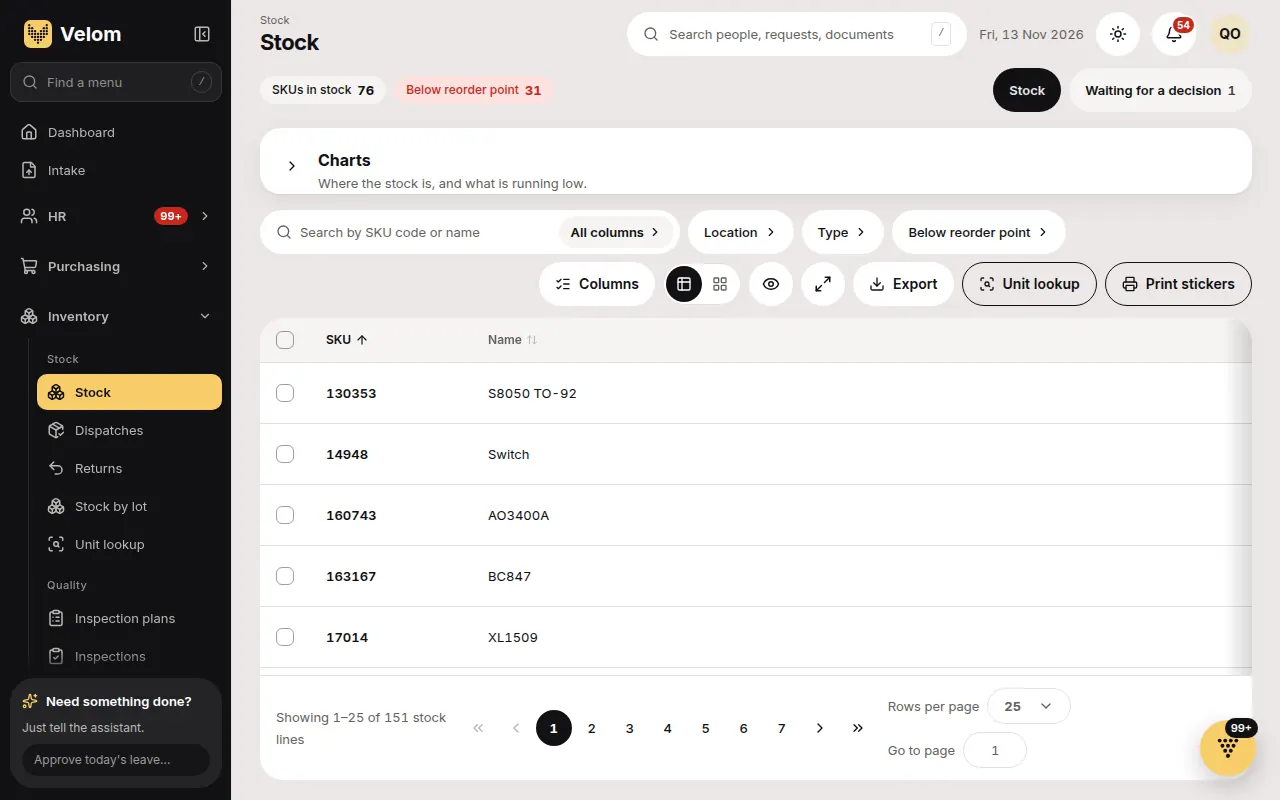
Stock is kept by SKU and location. Every receipt, issue, transfer, adjustment and return is a line in a ledger that can never be edited. A mistake is corrected with a new, approved movement, so the history stays complete and the balance always adds up.
Lots that know their vendor and price
Each receipt makes a lot that carries the vendor, the invoice or purchase order, and the rate paid. Stock by lot shows what is on hand from each vendor and its value at the average rate paid, which matters when the same part costs different amounts from different vendors.
Receiving with rejections recorded
Record what arrived, how many were rejected and why, and in what condition. Goods can be received against a purchase order, added from a vendor invoice in the Intake review, or added from a vendor bill. Rejected goods are recorded and the right people are told.
QR stickers for units and boxes
Every single unit can get its own 10-character id printed as a QR sticker, and boxes get stickers too. Scan any sticker, or type its id, to see what the unit is and everywhere it has been.
- Dispatch is packed by scanning each unit into a box, with who packed it and who approved it.
- Returns get a record with the fault, the inspection and the decision.
- Stock sent to a job work vendor stays yours and shows at that vendor.
Reorder points and charts
Each SKU can have a reorder point. The stock page shows how many items are below it, and charts show where the stock is and what is running low. From there the planner and purchasing turn shortages into orders.
A store keeper's day
The store is where most numbers go wrong, so Velom keeps the store keeper's work short and checkable. Receipts are entered against the purchase order or the invoice already read in Intake, so quantities and rates are not typed twice. Issues to production follow the job's kit, which says what is needed, the allowance and what has already gone out.
When a physical count does not match, the difference is posted as an adjustment with a reason, never by overwriting the balance. Anything waiting for a decision is listed on its own tab, so nothing sits half done.
Questions people ask
Can stock be edited directly?
No. Stock changes only through movements such as receipts, issues, transfers and approved adjustments, so the balance always matches the history.
Does Velom track batches?
Yes. Goods are tracked in lots that carry the vendor, the source document and the rate paid.
Can we print barcode or QR labels?
Yes. Units and boxes get QR stickers with a 10-character id, printed from the stock pages.
Does it show which items need reordering?
Yes. Items below their reorder point are counted and filterable on the stock page.