One button for every kind of paper
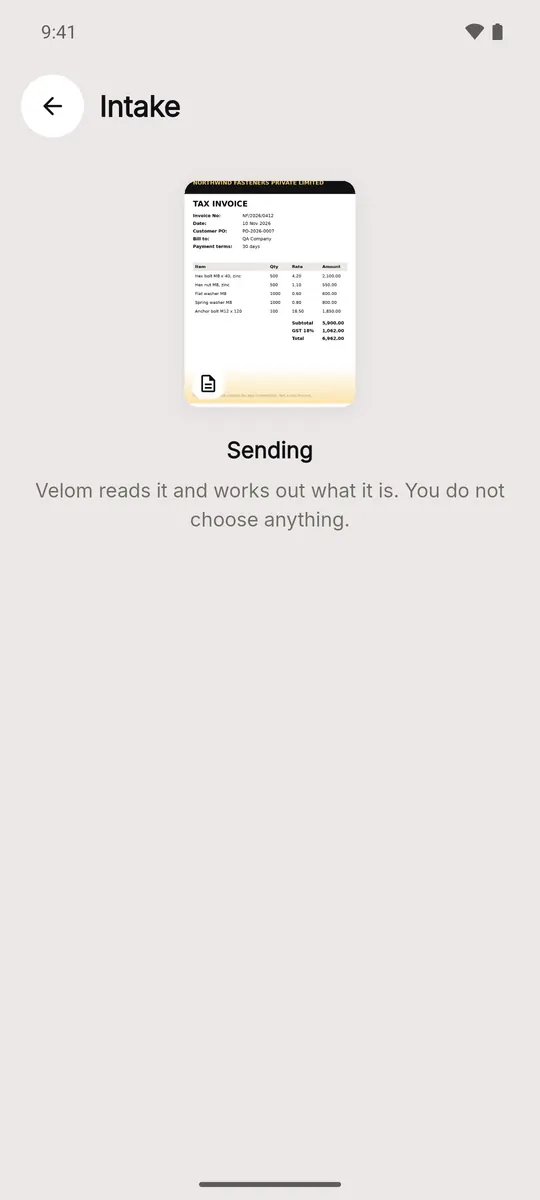
There is one round Velom button on every page of the web app, and a plus button in the Android app. Drop a file, paste a screenshot, choose a PDF or scan a page with the phone. You do not tell Velom what the file is.
Velom works out the kind of document: a vendor invoice, a customer purchase order, a delivery challan, a credit note, a bill of materials, an ID card or a mail. Then it looks for the records the document belongs to.
- Several files at once are read one by one, in the order you dropped them.
- A PDF that holds an invoice, its challan and an order is cut into one item per document.
- Mail can be dropped as a file, or a mailbox can be connected so attachments arrive by themselves.
You watch it read, then you decide
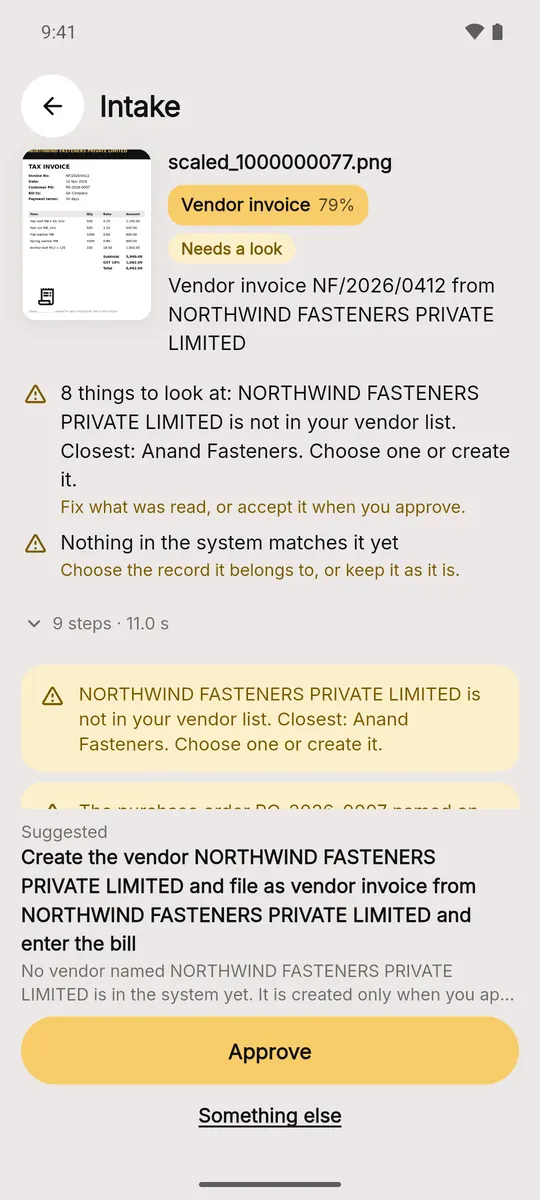
As soon as a document is added, Velom shows how it reads it, stage by stage, and ends with one proposal, for example "Create the vendor and file this as a vendor invoice, then enter the bill". You approve it, choose something else or reject it.
For an invoice or a customer PO, the full-screen review shows the document on the left and numbered steps on the right: the vendor or customer, the lines, the SKUs. One Approve then does everything together, or nothing at all.
Checks that catch the usual mistakes
A number is only taken if it is printed on the page. A document number, GST number, PO number, item code or HSN code that is not there is left empty, and the card says so instead of guessing.
- Quantity times rate that does not equal the amount, and totals that do not add up.
- A GSTIN that is not valid, a GST rate that does not fit the tax charged, an HSN that differs from the SKU.
- A duplicate invoice number, an unknown vendor or item, no matching purchase order.
- Signs that the document may have been altered, which ask a person to look before going on.
Invoices into vendors, SKUs, stock and bills
A new vendor can be created straight from the invoice, or matched to one you already have. Lines can become new SKUs, and vendor item codes are remembered against your own codes, so the next invoice from the same vendor needs fewer decisions.
When a vendor bills one line for what are really several of your items, for example one regulator line covering two package types, you split the line into parts whose quantities must add up. Prices, lots and receipts are then kept per part.
Parts lists into BOMs
Give Velom the bill of materials of a board or a product, as a PDF, a spreadsheet or a photo. It reads it row by row. You decide the product and each part, and one button creates the SKUs and the BOM, or nothing.
Costs stay in your hands
Every AI call is counted. The Owner sets a daily limit, so a mistake or a heavy day cannot run up a large bill. When the limit is reached, Velom says so and the work waits for a person.
Questions people ask
Does Velom create records without asking?
No. Velom only proposes. A person approves every document before any vendor, SKU, bill, order or stock entry is created.
Which documents can Velom read?
Vendor invoices, customer purchase orders, delivery challans, credit notes, proformas, bills of materials, ID cards, mail and more. If Velom is not sure what a file is, it asks you.
Does it work with photos taken on a phone?
Yes. The Android app scans pages with the phone and sends them. A blurry or unsure reading suggests scanning again before you approve.
Will it invent a GST number or HSN code that is not on the invoice?
No. Values are only taken from the document's own text. Anything missing is left empty and marked for you.
Does Velom file anything with the GST portal?
No. Velom keeps the records and checks them. Filing stays with you and your accountant.