Payroll6 min read
Payroll for Factory Workers: Automating Attendance and Deductions
Managing payroll for factory workers shouldn't mean endless spreadsheet updates and manual calculations. Discover how to streamline your monthly cycle.
By Appikorn team ·
In this article
Short answer
How can I automate payroll for factory workers using attendance data?
You can automate payroll by using a system that links your attendance register directly to your salary engine. This ensures that only verified days, overtime hours, and approved leaves are used in calculations, eliminating manual data entry, reducing errors, and ensuring that statutory deductions like PF, ESI, and PT are applied accurately every month.
In an electronics assembly unit, the end of the month is often a period of high tension. The production manager tracks output, while the HR or accounts person struggles to reconcile attendance logs. When payroll for factory workers relies on manual spreadsheets, the risk of error is high. A single missed punch or an incorrectly calculated overtime hour can lead to disputes, demotivation, and time-consuming corrections that delay salary disbursements.
For many small manufacturers, the process involves pulling data from various sources. Attendance might be tracked on a register, overtime on a separate sheet, and statutory deductions like Provident Fund (PF) and Employees' State Insurance (ESI) calculated via complex formulas in a spreadsheet. This manual approach is prone to human error, especially when dealing with varying shift timings, weekly offs, and state-specific professional tax (PT) slabs. Efficient payroll systems are essential to ensure compliance and maintain transparency with the workforce.
The problem: why manual payroll causes production delays
The primary issue in most factories is the disconnect between daily operations and payroll processing. When the store keeper or production supervisor maintains attendance on paper or a basic digital file, the data often lacks the precision needed for accurate pay calculation. Workers frequently forget to punch in or out, leading to "Needs review" statuses that remain unresolved until the last minute. This forces the payroll team to guess or manually adjust figures to meet deadlines.
Furthermore, statutory compliance is a moving target. Rules regarding the wage ceiling for EPF or the eligibility limits for ESI require constant vigilance. When these are calculated manually, the chance of under-deducting or over-deducting is significant. If an employee's salary structure changes—due to a promotion or an annual increment—the manual spreadsheet must be updated across all columns, increasing the likelihood of broken formulas and incorrect net pay calculations. This creates a cycle where the payroll person spends days fixing errors instead of focusing on productive tasks.
What it costs: time, rework, and compliance risk
The cost of manual payroll extends beyond the hours spent in front of a computer. When payroll is delayed or incorrect, it impacts the morale of the entire shop floor. Workers who expect a certain amount based on their overtime hours feel cheated if the math is wrong. This leads to frequent queries, requests for explanations, and a loss of trust in the management. For a factory owner, this translates to reduced focus on production targets.
Rework is another hidden cost. Every time an error is found, the payroll run must be recalculated, and payslips must be re-issued. If a statutory deduction is missed, the factory risks penalties during audits. Furthermore, the lack of a clear audit trail makes it difficult to defend against claims of underpayment. By failing to use a structured system, the business remains vulnerable to operational inefficiencies that could be easily avoided with better tools.
How the team did it before: the paper and spreadsheet trap
Before moving to a digital system, most teams rely on a combination of physical registers and spreadsheets. A typical month starts with a paper attendance log at the factory gate. At the end of the week, someone transcribes these marks into a spreadsheet. If a worker puts in overtime, the supervisor notes it on a scrap of paper or sends a text message, which may or may not reach the payroll desk accurately.
Communication often happens via WhatsApp, where requests for leave or attendance corrections get buried in long chat histories. By the time the 25th of the month arrives, the payroll person is frantically calling supervisors to verify who was present on a specific Tuesday. This manual aggregation is the root cause of the "guesswork" that plagues small factory payroll. It is a fragmented, reactive process that leaves no room for proactive management or accurate cost tracking by department.
How Velom solves it, step by step
Velom integrates attendance data directly into the payroll flow, removing the need for manual data entry. By linking the attendance register to salary processing, the system ensures that pay is calculated only on verified hours. Here is how the team manages the cycle:
- Define Salary Structures: HR sets up salary templates for different roles using predefined components like Basic, HRA, and Special Allowance.
- Attendance Sync: The system automatically pulls verified attendance data—including present days, overtime hours, and leaves—from the attendance register.
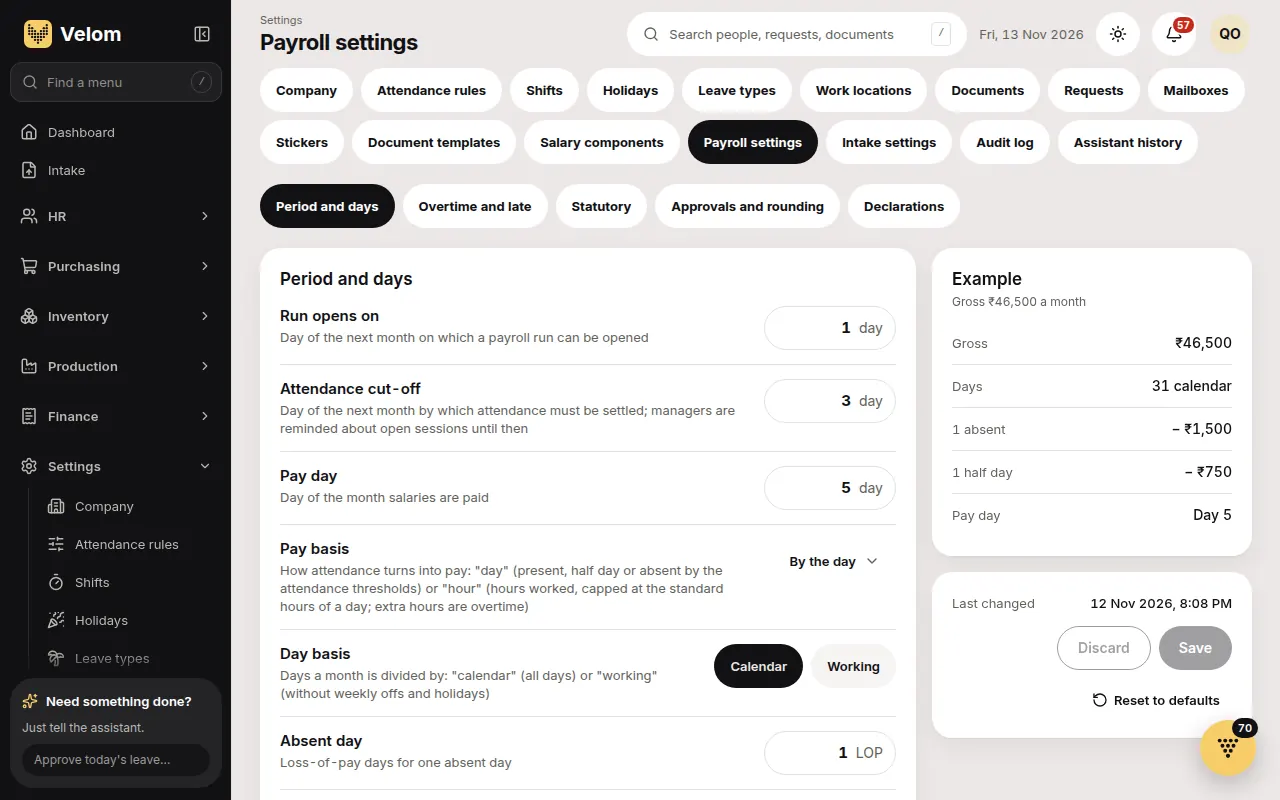
- Statutory Setup: The owner configures PF, ESI, and PT rules based on current statutory limits, ensuring the system applies these consistently.
- Run Payroll: The payroll run is initiated. The system calculates gross and net pay based on the attendance data and salary structure for the period.
- Approval Flow: The calculated payroll moves through stages: Draft, Under Review, and finally, Approved. This ensures a manager or owner verifies the figures before any finalization.
- Lock and Publish: Once approved, the run is locked, generating individual payslips that employees can view and download.
Example scenario
This is an illustrative example, not a real customer. Consider a small electronics assembly unit with 20 workers. In the first week of the month, the floor manager uses the app to approve three leave requests and two overtime applications. Because these are approved in the system, they automatically update the attendance register. The payroll person does not need to check WhatsApp or paper notes.
By the 25th, the payroll person opens the payroll module. The system shows that all attendance is "Verified" or "Needs review." They resolve the last two missed punches for a worker who forgot to check out on Tuesday. Once resolved, they click "Calculate." The system applies the 12% PF deduction for workers under the wage ceiling and calculates ESI for those within the eligibility limit. The owner reviews the summary, notices a discrepancy in a bonus entry, and requests a change. The payroll person adjusts the entry, and the system re-calculates the totals. Finally, the owner approves the run, and the payslips are published to the workers' devices.
What to check before you start
Before implementing a new payroll system, ensure you have the following information ready to avoid setup delays:
- Current Salary Structures: Have a clear breakdown of each employee's salary components, including any specific allowances.
- Statutory Registration Details: Keep your PF, ESI, and Professional Tax registration numbers and current applicable rates handy.
- Attendance Policy: Define clear rules for overtime, late arrivals, and the definition of a "half-day" versus a "full-day" to ensure consistent calculation.
- Bank Details: Collect the bank account information for all employees to generate accurate bank advice files.
- Managerial Roles: Decide who will have the authority to approve payroll runs and adjustments to ensure internal oversight.
By digitizing these steps, you move away from reactive, manual processes toward a predictable and compliant payroll cycle that supports your factory's growth.
Frequently asked questions
How can I automate payroll for factory workers using attendance data?
You can automate payroll by using a system that links your attendance register directly to your salary engine. This ensures that only verified days, overtime hours, and approved leaves are used in calculations, eliminating manual data entry, reducing errors, and ensuring that statutory deductions like PF, ESI, and PT are applied accurately every month.
Does the system automatically file my PF and ESI returns?
No, the system does not file returns or pay challans on government portals. It provides the necessary payroll registers and reports, which you can use to prepare your filings on the official government websites.
Can I handle different overtime rates for different workers?
Yes, you can configure salary structures and overtime rules within the system. By default, overtime is paid at 1.5 times, but you can adjust these settings based on your company policy and the specific requirements of your factory.
What happens if a worker forgets to punch out?
The system marks the day as 'Needs review.' It will not guess the time. A manager or the payroll person must provide the correct time and approve the entry before it can be included in the final payroll calculation, ensuring accuracy.